In today’s digital-first professional landscape, every detail matters—especially on LinkedIn. One of the easiest ways to boost your branding is to enhance your profile with the right LinkedIn cover photo size. A visually well-sized banner can significantly elevate your profile’s first impression, whether you’re job hunting, networking, or promoting your business.
What’s the right LinkedIn cover photo size?
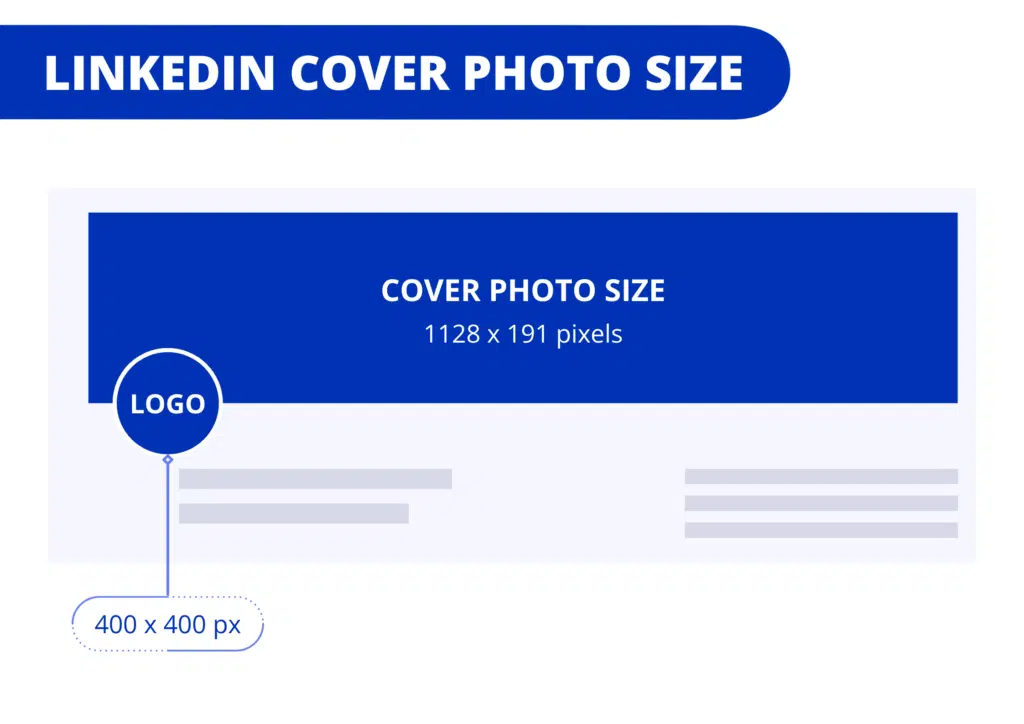
According to Waalaxy’s “LinkedIn Cover Photo Size: Ultimate Guide” (June 2024), the ideal dimensions vary based on your profile type:
- Company Page cover: 1128 × 191 pixels
- Personal Profile cover: 1584 × 396 pixels
If you mistakenly use the 1128×191 size for a personal profile, key visuals may be cut off on desktop or mobile. That’s why it’s vital to align your profile with the right LinkedIn cover photo size.
Why size matters
- Consistency across devices: LinkedIn displays your banner differently on desktop vs mobile, and the profile photo overlaps part of the banner. Using the correct size ensures none of your key graphics or messaging gets trimmed .
- Professionalism & clarity: A misaligned or pixelated banner can make a great profile look sloppy. High-quality images following the correct size guidelines (PNG or JPEG, max 8 MB for personal, 3 MB for company pages) keep everything sharp and professional.
- Optimized branding: When done right, your cover image provides additional real estate for your message—whether that’s your job title, slogan, contact info, or personal logo—without overlapping or cropping issues.
How to create the perfect banner
Waalaxy recommends using a graphic tool like Canva, Photoshop, Figma, or Illustrator to design your image precisely to the required dimensions. Canva is particularly user-friendly—here’s a quick step-by-step:
- Choose a custom size (1584×396 px for personal or 1128×191 px for company).
- Add your visuals, text, or logo.
- Center important elements within “safe zones” to avoid cropping by the profile picture.
- Download the file in PNG or JPEG format.
- Upload it via your LinkedIn profile’s “Edit background” option—on desktop or mobile.
Cover photo best practices
- Less is more: Avoid clutter or heavy text. Subtle brand elements speak louder.
- Use brand-aligned colors: Reinforce your personal or company identity.
- Opt for high-resolution visuals: Ensure clarity and crispness.
- Preview on all devices: Check on desktop, mobile, and tablet—cropping can differ.
Final thoughts
Your LinkedIn banner is more than decoration—it’s a powerful extension of your professional identity. To fully align your profile with the right LinkedIn cover photo size, stick to:
- Personal profile: 1584 × 396 px
- Company page: 1128 × 191 px
Using these exact dimensions—and designing with mobile vs desktop in mind—you’ll create a polished, visually appealing presence that immediately communicates your professionalism and personal brand.
By carefully implementing these sizing tips and design tweaks, you’ll ensure your LinkedIn profile makes a strong, cohesive first impression. So go ahead—refresh your banner, and let your profile show the world you’ve got everything just right.
Let me know if you’d like example templates, recommended tools, or tips for domain-specific designs!